For many, myself included, staying organized and moving the most valuable things forward is a challenge. Especially when there are many exciting opportunities to explore or new concepts to learn. It is easy to fall into the trap of starting many things and finishing none of them.
Stop starting & Start Finishing
Henrik Kniberg- Spotify
Having a simple system to visualize, prioritize, and track new ideas and tasks to complete is essential to getting s#!% done. Having notes and to-do lists are helpful, but they are missing two important elements needed for success.
- Relative Prioritization of Value of What has the most impact to spend my time on
- Forced Focus to complete something before starting something new.
The answer to me, and maybe you, was kanban – the Japanese System of Visual Work Management. The Kanban system is a highly effective approach to managing work tasks by visualizing the workflow and tracking progress. It provides a visual representation of the work process, allowing you (or a team) to understand the value and status of each task at a glance.
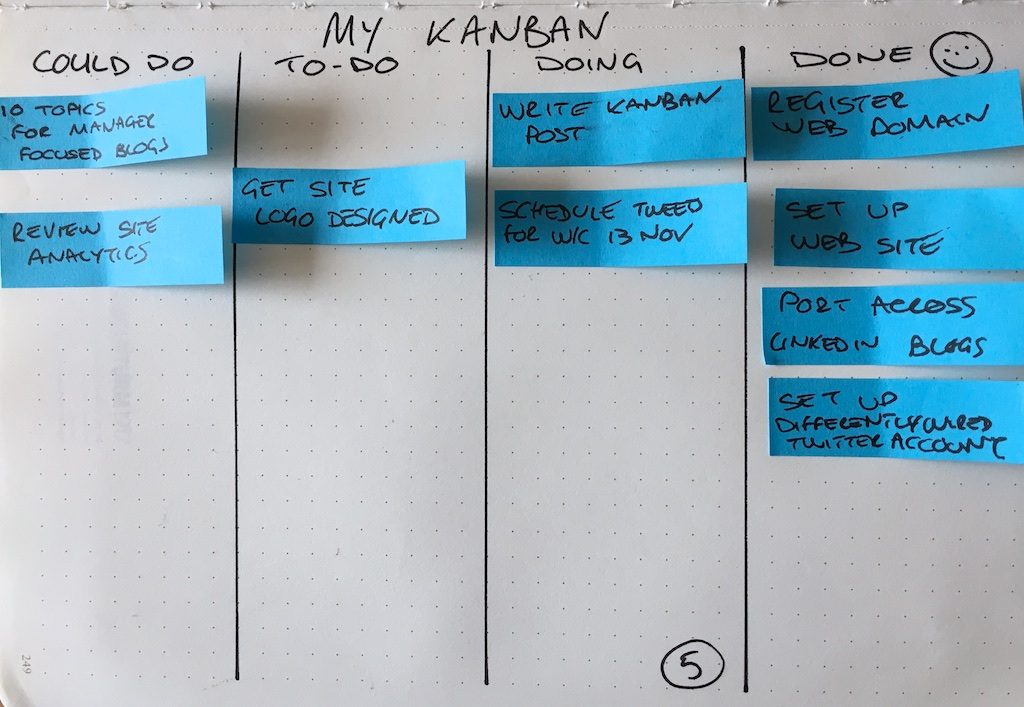
The beauty of Kanban is its adaptability and simplicity. The word kanban, translated, means “Visual Sign”. While ultimately scalable, it is easy to start and only has a few very simple rules to follow. This makes it perfect to manage everything from personal goals and tasks to tracking your next business opportunity. It can be done on a tabletop, whiteboard, or using software (more on that later)
The Principles of Kanban
- Visualize the Work: This can range from a simple To-Do, Doing, Done workflow to setting up the steps of finding, researching, negotiating, and closing a deal. I use both. I have two main kanban boards. A simple kanban board for personal work and more complex board for tracking potential deals.
- Limit the Work in Progress (WIP): If we start everything and finish nothing, we will get frustrated and overwhelmed. The Kanban way is to apply limits to how much work can be in any state at any time. This means we have to make prioritization decisions and stay focused on completing what we started.
- Focus on Flow: Flow is about learning, we see where work backs up, gets stuck, or sits and waits for outside activities. We want to learn where these are over time so we can focus on the delays and innovate on how to reduce or remove them.
- Pursue Continuous Improvement: While Kanban starts with what you do today, the goal is to learn and improve the systems. We should not be afraid to inspect and adapt as we learn and innovate. The reason we visualize the work is so that these improvement areas are easier to spot
Getting Started
I use Trello to create and manage my boards. Which I like since it is accessible anywhere from my desktop and phone. And while there are paid add-ons, the basic free version is often more than enough to get you started and working. There are many other apps, and a simple whiteboard and post-it notes are just as effective.
- Create your workflow as columns: Start with what you do now. This can be as simple as To-Do, Doing, and Done or you can lay out more complex steps. Create your backlog of work: Take a few minutes to brainstorm and capture what you need to get done. You can add new items anytime as they emerge. The backlog in Kanban is the place to capture and store things to get done. In Kanban, these are stored in the ToDo column until you are ready to start them.
- Prioritize the backlog: What order makes the most sense to execute on. I like to identify the top 10 than work my way down in value. Simple kanban practices use the value of completing any one item against all the other items in a backlog. The idea is to weed out the low-value work, to keep you focused on higher-value, higher-return items.
- Set a starting WIP: What is the limit on how many you can have active. (Work In Progress) WIP Limits keep us focused on a few things vs everything. I would keep this low to start. Two or Three per workflow state. The idea is to keep yourself accountable to finish what you started before starting something new.
- Get Working: Start to pull items to work on. Start with the top priority items and move them into a working state. Once you start any item the focus is on finishing it. When that workflow state is complete move it to the next state or done. Remember to abide by the work-in-progress limits you set. This is to teach focus initially. Do not overload a state with more than you can complete.
- Re-Prioritize often: I like to re-order my backlog (To-Do) daily. The ability to adjust and change based on recent information is an important aspect of Kanban. Learn where things get stuck: The early stages of using kanban is to learn. By visualizing the work we can see patterns and trends of when and how work gets stuck in the system. Let it happen for a little while until the patterns become clear.
- Adapt to improve: Based on what you learned experiment with ways to remove any delays or blocks to the workflow. What could make it faster? Process, Technology, Innovation? Keep it going: Kanban can take a few weeks to smooth out the bumps. When you feel frustrated, just remember that it is a natural part of the learning and improving process.
Examples
If you are curious to learn more, there are some great books below that will go into more detail than I can cover here. But I did want to share some examples of how I personally use Kanban to keep myself on track and moving forward.
Here are two examples of my own Kanban boards. I have others, such as the one we use as a family to manage weekly chores. .
My Personal Kanban Board

This is an older screenshot of my personal Kanban board. The workflow is simple and I use this to prioritize what I need to get done today and what is important this week.
- A ‘To-Do’ column where I capture and store new ideas. I prioritize daily.
- The ‘On Deck’ Column is where I visualize the 3 highest priority things to do next (WIP Limit).
- The ‘Doing’ Column is work I am actively working to complete. With a limit of 2 items (WIP). Any more than 2 and I lose focus.
- A ‘Done’ Column where things go when I complete them.
My Opportunity Tracking Board
Each Card Expands with Details
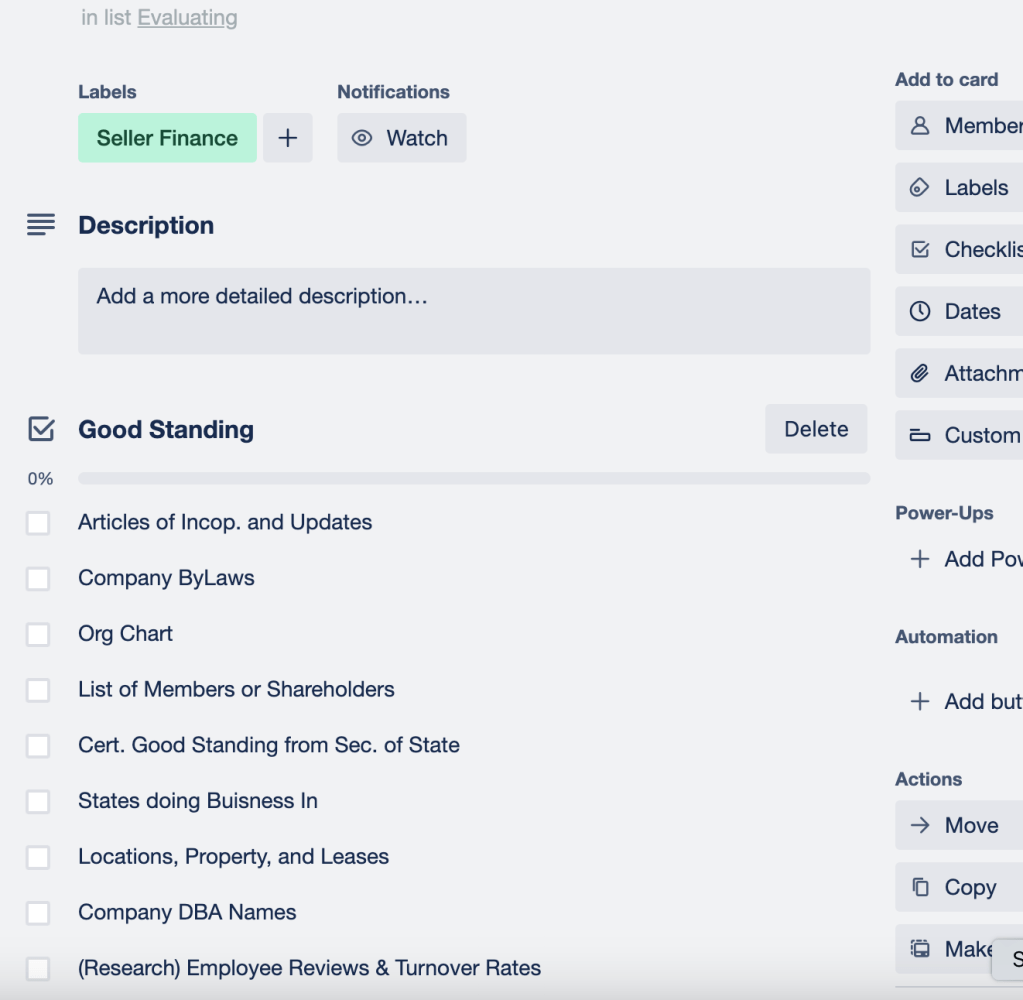
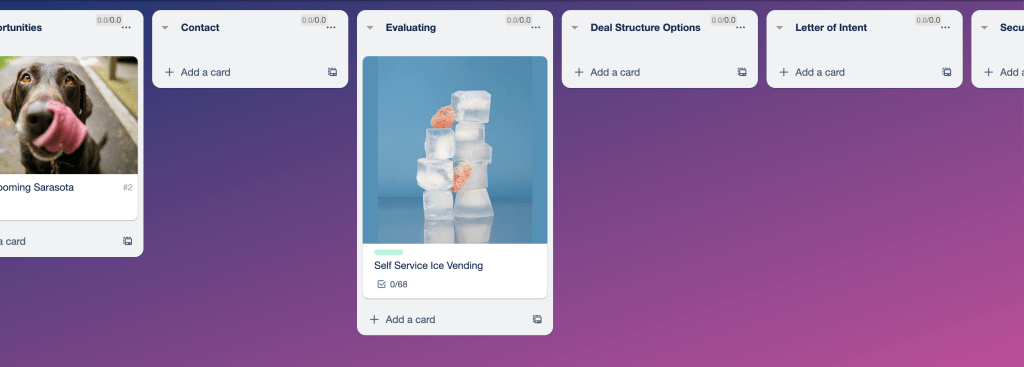
I use this board to track deals and opportunities I want to explore. The workflow is expanded to cover the steps from ‘Interested’ to ‘Post-Close’. I always know what stage things are in, and each card collects details along the way.
- Opportunities
- Contact
- Evaluation
- Deal Structure Options
- Letter of intent
- Financing
- Legal Review
- Close
- Transition & Training
- Expanding
- Exit
Learning More
There are many good books on personal kanban available
Like this one Personal Kanban Book
Or Kanban in General – here – The potential to help manage personal work is great, but remember that Kanban can scale up to manage larger scale teams and business operations.


 The Hustle and Flow